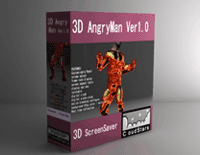
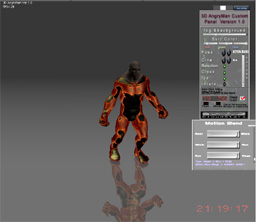
3D AngryMan
Custom Panel Ver1.0 |
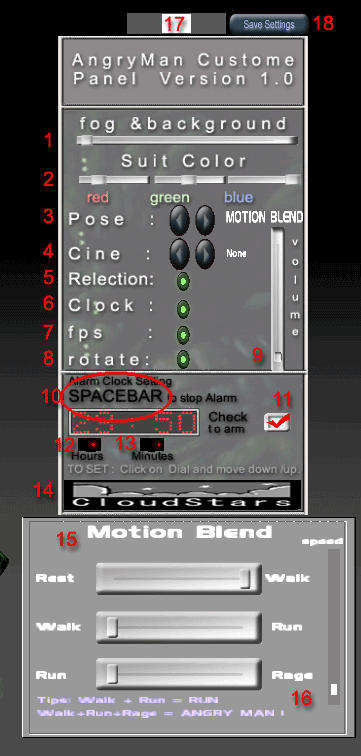
| 1: To
adjust fog and background color |
| 2: To adjust body
suit color.Mix and match between the 3 colours.Red,blue
and green. |
| 3:
Click on 'Fwd' and 'Back' button to choose between 'Motion
Blend' feature or 'Auto' for your screensaver.. Motion Blend will open up an interface15 once selected and allow you to blend 4 presetted motion
between each other through sliders. You can save the blended
motion at any time by pressing the 'Save Settings' button
and your screensaver will load the presaved motion . Auto will load more then 300 random still poses each time your
screensaver starts. This is to ensure the user of not
seing the same thing twice. |
| 4: To pick between
4 screen aspect formats. |
| 5: To show reflection
on or off. |
| 6: To show Digital
clock on or off. |
| 7: To show system's
framerate on or off. |
| 8: To stop or start
the AngryMan auto rotating/spinning |
| 9: To adjust Volume
of Ambient sound. |
| 10: HIT SPACEBAR to stop alarm when it goes off. You will hear
a cock crow as the default alarm. for version 1.0 |
| 11: click and check
to Arm alarm clock. |
| 12: To set the Hour
of the alram clock.Place cursor on the red dot and
hold down the left mouse button. Do not let go and move
the mouse up or down. |
| 13: To set the Minutef
the alram clock.Place cursor on the red dot and hold
down the left mouse button. Do not let go and move the
mouse up or down. |
| 14: Click on the
logo to visit Cloudstars.com or to Register. |
| 15: To Motion Blend
between the 4 motions, drage each of the 3 sliders to
mix a motion blend to your liking. Remember to Click 'SaveSettings'
button 18 in order for the screensaver to load ur blended
motion. |
| 16: To adjust speed
of motion .Click on slider and drag up or down. Down is
slowest, up is fastest. |
| 17: Click on the
White Tab to move the Custome Panel around screen.. |
| 18: Save Setting
button will save all the current settings of the Custome
Panel and will load the settings each time the Screensaver
starts. |


 My Cart