■ More then 300 poses
■ Quick Posing Ability
■ 2D Classical Shader
■ Dynamic Lighting
■ Real Time Shadowing
■ Real Time Reflection
■ Drawing Guides
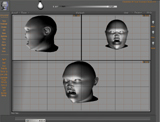
■ Multi Viewport
■ Full Screen
■ Quick Buttons
■ Time line
■ Turn Table
■ Free Camera
■ Screen Grab
■ Many more....
■ Developer: Cloudstars®2008
■ Release Date: Q1 2008
■ Version:1.04
■Minimum System Requirements Software :Win98,
WinMe, Win2000, WinXP, Win Vista , DirectX8.1 and above installed
Hardware : P II 300MHZ, 64MB RAM and all 3D accelerator
cards
The fact that the hands and their movements require
so little conscious thought may be one reason why so little
thoughts is given to drawing them. Look now at your own hands,
you will see them in new light. Note how the hand automatically
assumes a shape comfortable with an object before grasping
the object. To draw a hand in the act of picking up an object
you must first study the contour of the object, then observe
the automatic adjustment of the hand to fit that contour.
images courtesy
of L. Andrew.
The mechanical principle involved is very important in the
drawing of the hand. Only by knowing how it actually works
can the hand be drawn convincingly. Study your own hands to
better understand the hand. But having the hand facing away
from you, they can only allow you to study them at a certain
fixed angles only. VHS comes in handy in this area
VHS comes filled with more then 200 dynamic animated hand
gestures. Categorised in different categoried of gestures
.
User
Testimony.
“Virtual Hand Studio is a very
innovative piece of software. I believe it's one of
it's kind out there. It just makes drawing the human
hand so much simpler. It's difficult rather imposible
to pose your own hand when you draw. Limited movement
of the human hand restrict dynamic posing.,” commented Kenmura Tomiyama , Art Director, Sunrise
Studio. Yokyo Japan..